Bodog App - Mobile Access, Setup and Account Management
Using Bodog on Your Phone
When you look for a Bodog app on Canadian app stores, nothing pops up for the casino or sportsbook. That’s usual for offshore betting here. What we do is open Bodog’s Canadian website in a mobile browser. The site recognizes your phone and adjusts-simple. Nothing to download, so no chunky files.
With poker, though, story is a bit different. There’s an actual mobile app for that. More below.
To jump in with casino or sports, just pull up your browser-any on iOS or Android is fine. Type in the right Bodog Canada address (bodog-ca.org often works) and log in from the top right corner. Pop in your email and password, pass a quick security step if needed, and you land on the main screen. Everything’s in the navbar-Casino, Sports, Poker all together.
Usually your session stays open as long as the browser tab doesn’t close. Less jumping through hoops.
Bodog Poker App - How It Works
Now, about poker. There’s a separate app for poker only. You won’t see this in the App Store or Google Play. It’s set up differently.
Start by logging in through your browser, then click through to the Poker tab. There you’ll spot a download link for the client. On Android, installs from unknown sources have to be switched on, so check your settings. On iOS it’ll take you to a direct page, not through Apple’s shop.
We only trust links we get inside the actual Bodog site. Third-party APKs-don’t risk it.
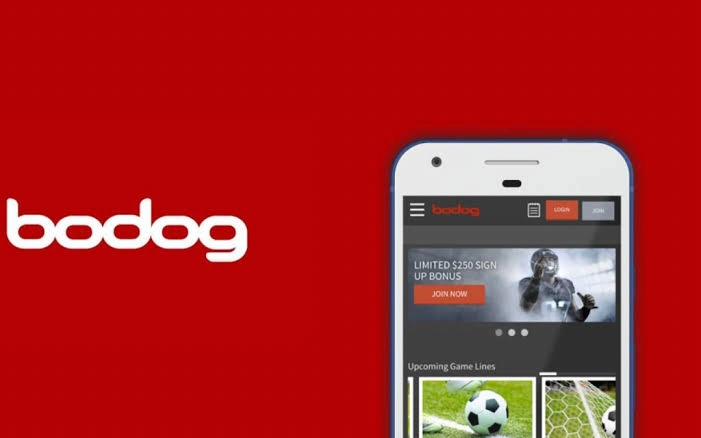
Registration and Basic Verification
Here’s what you’ll need:
- Account in Canadian dollars (choose this at signup)
- Age: 18 or 19, whatever applies where you live
- Verification: Government photo ID and recent address document
Open the Bodog homepage on your phone, tap Join or Register and put in your details (name, birthday, email, dollar preference). Only after your identity is checked can you withdraw, so best to upload your ID and proof of address early. All through the account settings – easy enough. The operator is Connaught Media BV, registered offshore.
Registration Requirements Table
| Requirement | What’s Needed |
| Currency | Canadian dollars |
| Age | 18 or 19 (province) |
| ID | Photo ID + proof of address |
Playing Casino and Betting on Sports
Games are grouped: slots, table, live dealer, specialty. Anything live shows up under a separate tab-real dealers, real-time play, just pick a spot at the table.
Sportsbook layout depends on your phone’s screen, but you get the main leagues up top-hockey, football, basketball, plus international ones. Tap the odds, fill in your wager in dollars, see the expected payout, then confirm. For in-play betting, there’s a Live tab that updates nonstop.
We notice switching between casino and sportsbook tabs works smoother if you don’t close the browser window each time. Just switch tabs inside instead of cycling through the homepage again and again.
Depositing and Withdrawing Funds
Once you log in, hit your account icon or Deposit at the top. Pick your funding method, enter a dollar amount. Interac-related methods, sometimes crypto-these pop up for most. Withdrawals are done the same way (through the same menu), but you must get verified first.
There might be fees from the payment side, check inside the cashier tab. Processing time? That’s a little unpredictable, depends on your method, so best to check there or chat with support if you’re impatient.
List of Deposit/Withdrawal Options
- Interac
- Crypto (reports only, not always available)
- Other region-specific options
- ID verified? Needed before withdrawing
Licensing Notes and Provinces
| Province | Status |
| Ontario | Not licensed locally |
| Manitoba | May face access limits |
| Elsewhere | Changes – always check with us |